Need help with a specific project?Share your brief

Ideal YouTube Channel Banner Size

Written by Nico on • min read •Community
Your YouTube channel banner size is important because it is one of the first things that viewers will see when they visit your channel. If the size of your YouTube banner is too small or blurry can give a poor impression and make your channel look unprofessional. On the other hand, a banner that is well-designed and high-resolution can help you stand out and make a good impression on potential subscribers. We recommend any video content creator to use the recommended formats.
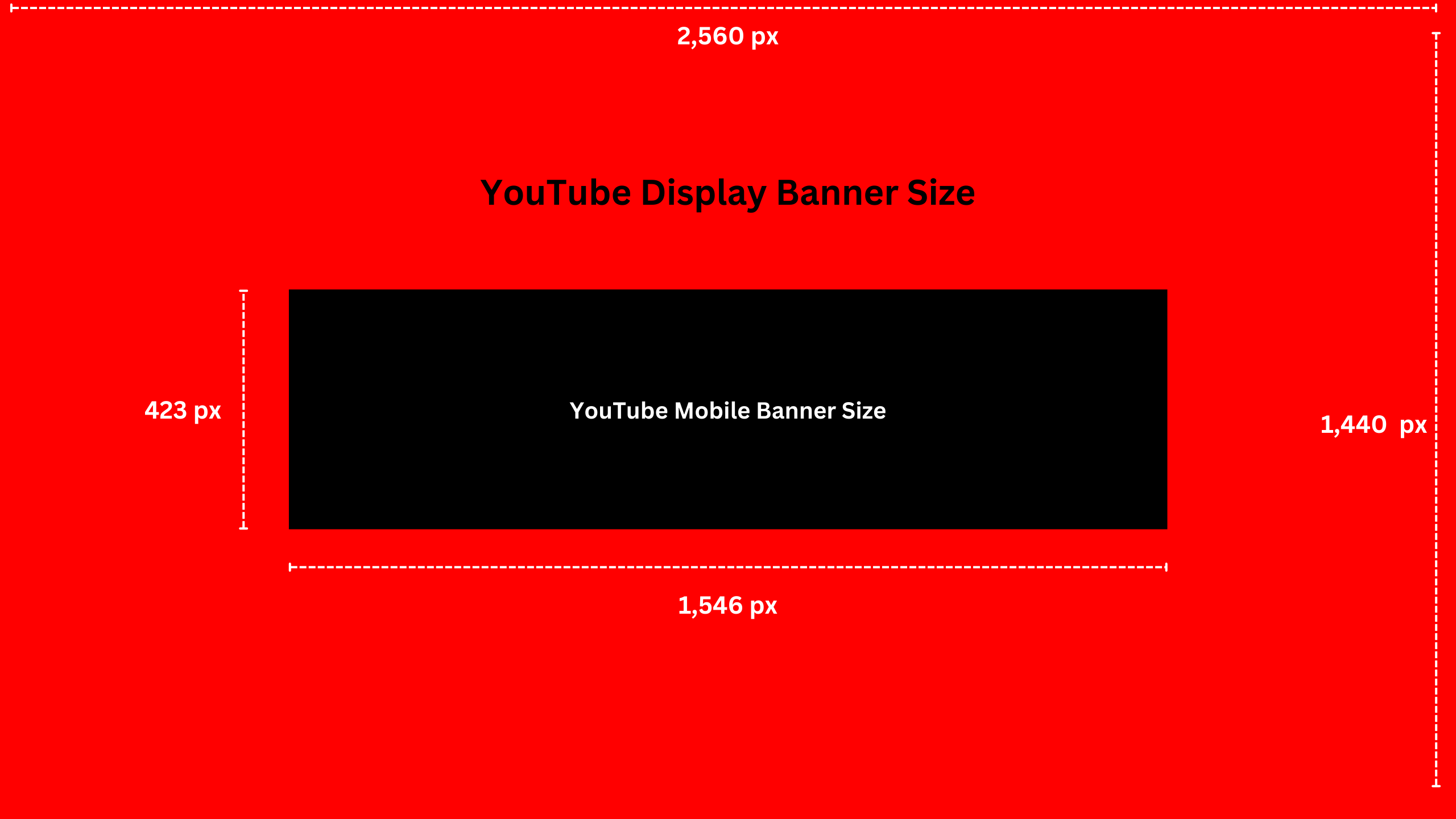
The ideal size for a YouTube banner is 2560 pixels by 1440 pixels. This size provides a high-resolution image that will look sharp and clear on a variety of devices, including desktop computers, laptops, and mobile devices.
To create a YouTube banner with the ideal size, you will need to use an image editing program such as Canva, Photoshop or an alternative. These programs allow you to create and edit images, and they provide the tools you need to create a banner with the right dimensions.

YouTube Channel Banner Size
| Recommended Banner Size | 2,560 x 1,440 pixels |
| Banner in Tablet Display | 1,855 × 423 pixels |
| Banner in Mobile Display | 1,546 × 423 pixels |
| Maximum File Size | 6MB |
Once you have created your banner image, you can upload it to your YouTube channel by going to the “Home” page and clicking on the “Customize channel” button. From there, you can click on the “Edit channel art” button to open the banner editor. This will allow you to upload your banner and use the editing tools to adjust its size and position.
In conclusion, the ideal size for a YouTube banner is 2560 pixels by 1440 pixels. This size will provide a high-resolution image that looks clear and sharp on a variety of devices. By using the right size for your banner, you can make a good impression on potential subscribers and help your channel stand out from the competition.

Need a location for your YouTube Video?
Find and book a location for your YouTube video on Scouty. We have more than 3000 locations you can hire by the hour or day.
Changing Your YouTube Banner
Here’s a step-by-step guide on how to change the banner of your YouTube channel:
- Sign in to your YouTube account and click on your profile picture in the top-right corner of the screen.
- From the drop-down menu, select “YouTube Studio.”
- On the left-hand side of the screen, click on “Customization” and then select “Branding” from the submenu.
- Under “Channel Art,” click on the “Edit” button.
- You can either upload a new image by clicking on the “Select a photo from your device” button, or you can choose an existing image from your channel by clicking on the “Select a photo from your channel” button.
- Once you have selected an image, you can adjust its size and position by dragging the corners of the image or using the sizing bars. You can also use the preview on the right-hand side of the screen to see how your banner will look on different devices.
- When you’re satisfied with the size and position of your banner, click on the “Publish” button to save your changes.
And that’s it! Your YouTube banner has now been changed. Keep in mind that it may take some time for the changes to take effect on your channel.

Need a location for your YouTube Video?
Find and book a location for your YouTube video on Scouty. We have more than 3000 locations you can hire by the hour or day.
YouTube Profile Image Size
Are you looking to make your YouTube profile picture stand out as well? One thing that can help is using the right size for your profile picture.
The recommended size for YouTube profile pictures is 800 x 800 pixels. This will ensure that your profile picture appears crisp and clear on all devices, from large desktop monitors to small mobile screens.
When creating your profile picture, it’s important to keep in mind that it will be displayed as a circle on YouTube. This means that any text or important details should be placed towards the center of the image to avoid being cut off. Additionally, you want to choose an image that is high-quality and represents you or your channel well. Consider using a professional headshot or a branded logo for your profile picture.
One tip for creating a great profile picture is to use a tool like Canva to create a circle crop of your image. This will allow you to see exactly how your profile picture will look on YouTube and make any necessary adjustments before uploading it.
YouTube Video Thumbnail Size
The thumbnail is often the first thing that viewers see when browsing YouTube, and it can be the deciding factor for whether or not someone clicks on your video. Using the recommended size for YouTube video thumbnail can help your videos stand out and get more views.
The recommended size for YouTube video thumbnails is 1280 x 720 pixels. Use a 16:9 aspect ratio to ensure that your thumbnail looks crisp and clear on all devices, from large desktop monitors to small mobile screens. Recommended formats for the Thumbnail image are JPG, PNG, GIF, and BMP and a file size up to 2MB.